
Sửa lỗi Maximum call stack size Windows
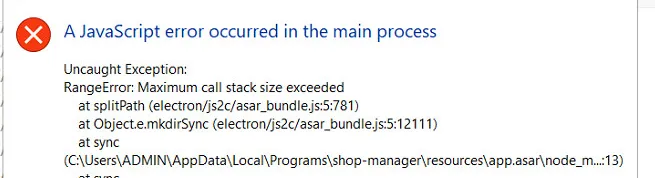
Sửa lỗi Maximum call stack size trên Windows khi mở phần mềm ShopManager do tính năng Controlled folder access trong Windows Security chặn tạo thư mục.
Khắc phục lỗi Maximum call stack size exceeded at Object.e.mkdirSync khi mở ShopManager trên Windows do tính năng Controlled Folder Access chặn tạo thư mục dữ liệu.
Cách xử lý chi tiết
Phần tiêu đề “Cách xử lý chi tiết”1) Mở cài đặt Virus & threat protection
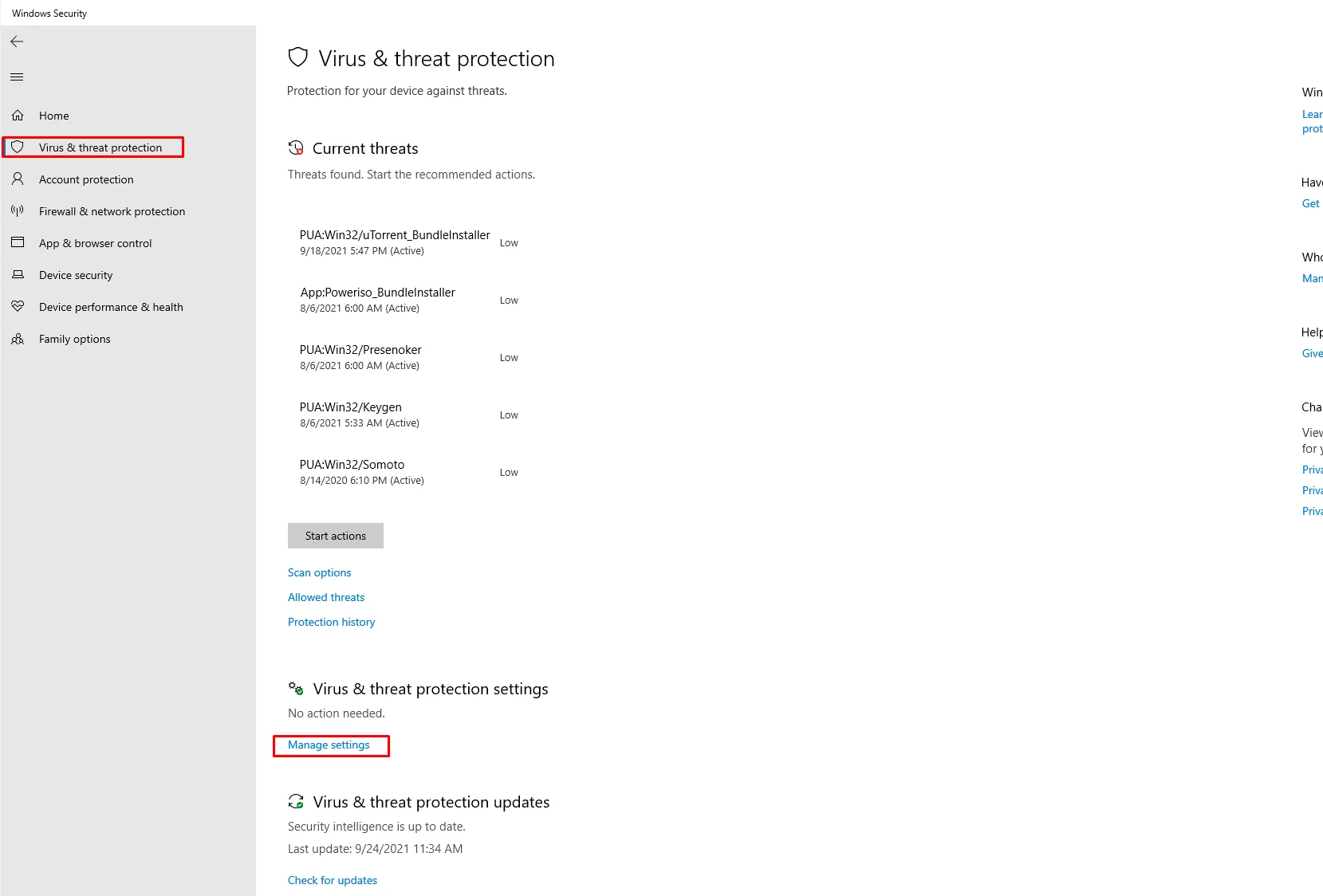
Phần tiêu đề “1) Mở cài đặt Virus & threat protection”Bấm phím Windows trên bàn phím, gõ Windows Security rồi mở ứng dụng lên. Chọn Virus & threat protection > ở mục Virus & threat protection settings, bấm Manage settings.
2) Vào mục Controlled folder access
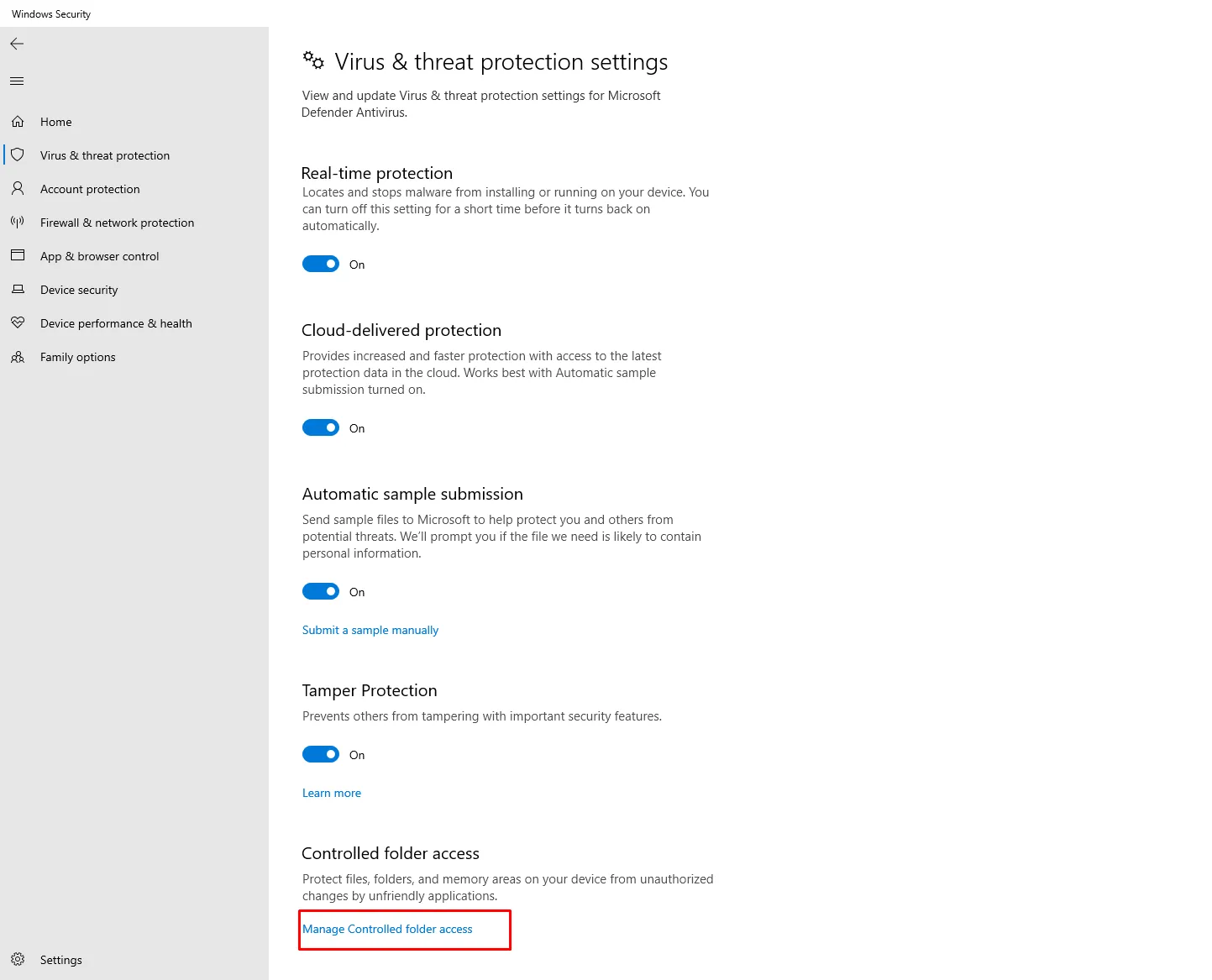
Phần tiêu đề “2) Vào mục Controlled folder access”Cuộn xuống tìm mục Controlled folder access, bấm Manage Controlled folder access.
3) Tắt tính năng chặn thư mục
Phần tiêu đề “3) Tắt tính năng chặn thư mục”Gạt công tắc của Controlled folder access sang Off (Tắt).
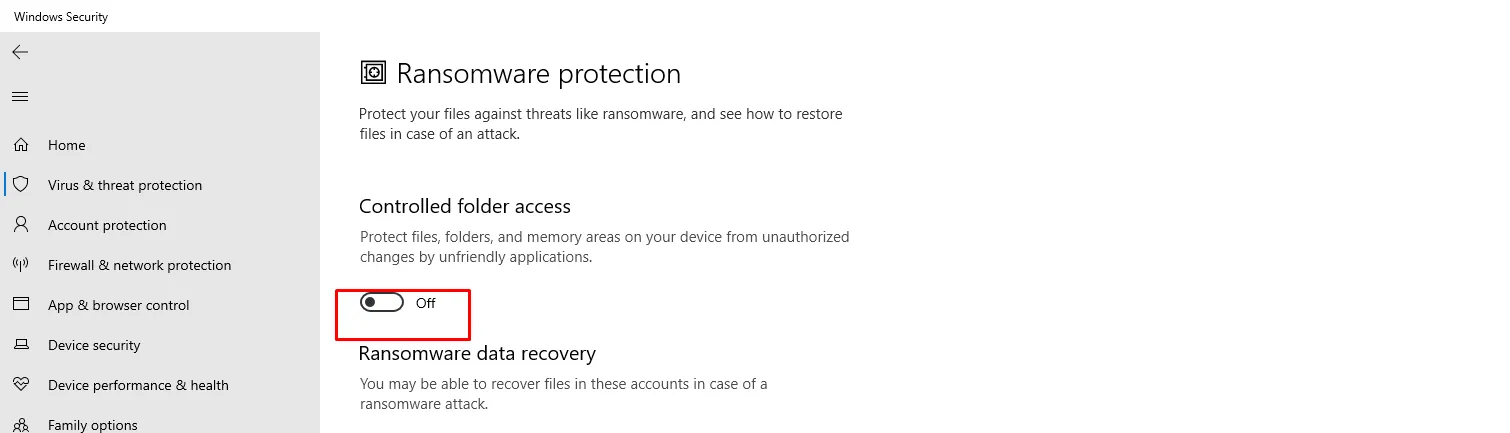
Tắt xong, mở lại phần mềm ShopManager. Hệ thống sẽ tự tạo thư mục dữ liệu và khởi động bình thường.
Lỗi thường gặp
Phần tiêu đề “Lỗi thường gặp”- Tắt xong vẫn báo lỗi: Bấm chuột phải vào biểu tượng ShopManager trên Desktop, chọn Run as administrator (Chạy với quyền quản trị viên).
- Nếu vẫn chưa được: liên hệ kỹ thuật tại Liên hệ hỗ trợ kỹ thuật AutoShopee.

Mình là Mimi, trợ lý ảo AutoShopee. Bạn cần hỗ trợ gì về tính năng, bảng giá hay thao tác trên phần mềm? Có thể gửi kèm ảnh chụp màn hình.